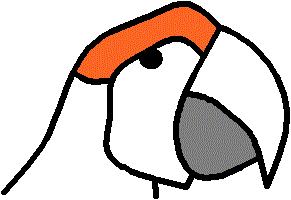
Non-video Demonstration 1
Below you'll find a non-video demonstration of Glass Eye 2000. We also have a video demonstration.
Let's show how to draw the macaw seen in the Pattern Gallery. To keep the demonstration short we'll just draw its head.
We begin by drawing the outline of the top of the head.
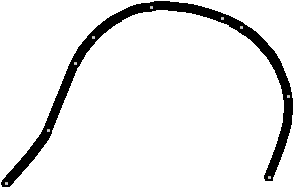
Lines are drawn by placing a sequence of points called knots. You position knots by clicking on the screen using the mouse. As you do this, the program will draw a smooth line through those knots.
By continuing to draw lines in this fashion we can draw the beak.
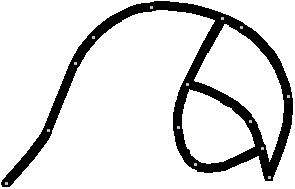
Let's draw two more lines, including the eye.
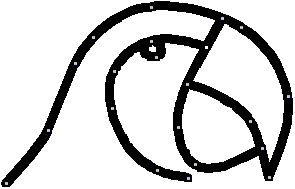
A few more and we will have all our lines in place.
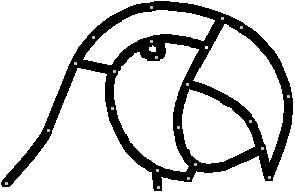
Let's now select colors for the glass pieces we have defined with these lines. The Glass Eye 2000 glass selector makes it easy to find just the right color and texture. Let's also turn off the display of knots so that we have a more natural view of our design.
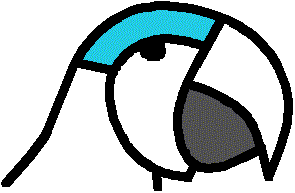
So far so good, but the bird does not have quite the look we want. Fortunately, Glass Eye 2000 makes it easy to add and reposition knots so that we can work on the pattern until it's exactly the way we want it. By showing knots again and then making some small adjustments, we can change the pattern to something new.
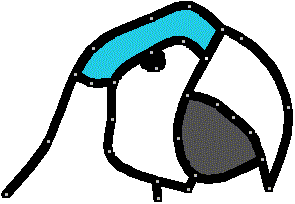
We can continue to make changes to see the effects of different line shapes and widths, or different color schemes. We can see the effects of these changes in an instant.